

Valentine’s Day will be here before we know it, so now is the perfect time to make a printables project! Have you seen fabric postcards? They are perfect for Valentine’s Day. Check some out from Pinterest.
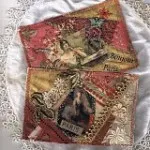
|
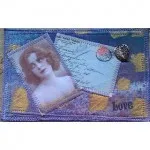
|
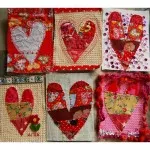
|
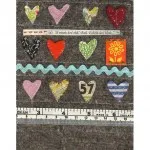
|
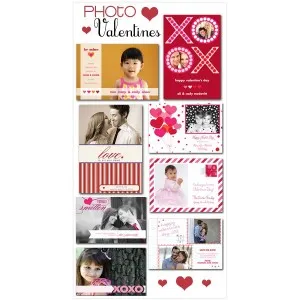
Or, here are some ideas on how to incorporate photos into fabric valentines.
And, this wonderful website EverythingEtsy.com has a list of 101 free Valentine’s Day Printables. Here are just 4 examples of 101!

|

|

|

|
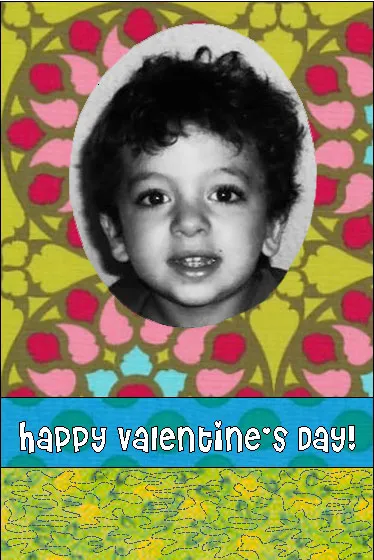
And, of course, not only can you use EQ Printables for your fabric postcards, you can design your postcards in EQ7 as well. Here are a few I came up with.
|

|

|
Embellish with embroidery, buttons, beads, felt…so many wonderful and adorable options.
You can download the EQ7 project, here.
If this inspires you to make something, let us know! Email photos to Heidi@electricquilt.com.






02-07-2013
7:38 pm
would like to make postcards, but how do insert picture into the free postcard project listed?
terry
02-11-2013
9:38 am
Hi Terry,
Here is how you import photos into EQ7.
1.Choose Photo Library from the LIBRARIES menu.
2. Click Import > From Image Files. The Import from Image Files dialog box will be displayed.
3. Click the drop-down list next to Files of type. Choose the image type in which the files are saved. Leaving the option on Image Files will display all image types at once.
4.Click the drop-down list next to Look in. Navigate to find the folder containing the photos you wish to import. The image files will display in the dialog box.
5.Click to select the files you want to import. You can multiple-select by holding the Shift key and selecting a range of files, or by holding the Ctrl key and clicking on the individual files you want to import.
6. Click Open. The photos will be displayed in the Import Results section of the Photo Library.
7. Click to select the photos you want to add to this project, then click Add to Sketchbook.
8. Click Close to close the Library.
I hope that helps. If you have more questions please let us know.
Thanks,
Heidi
02-15-2013
12:06 am
Heidi,
Thanks. But that is what I did. When I try to add the picture into the postcard like you, I can’t get it to go to the background.
Terry
02-15-2013
9:31 am
Hi Terry,
Sorry you are having problems. Can you explain what happens when you try follow the previous steps? You can email me directly, if you want, at Heidi@electricquilt.com. We’ll get it figured out.
Thanks,
Heidi
07-12-2013
4:30 pm
When I followed your directions I was able to import. But using photo in the EQ7 postcard file you provided, the photo is always on top. I unable to send it back behind the fabric to fit in the oval space.
terry
07-15-2013
10:04 am
Hi Terry,
Sorry you are having issues with this. For inserting a photo into the oval it might actually be better to import your photos as fabrics. Here is how to do that:
1. Click Libraries > Fabric Library.
2. Click Import > From Image Files.
3. Navigate to find the folder containing the photos you wish to import. Click to select the files you want to import.
4. Click Open.
5. Click Add to Sketchbook.
6. Click Close to close the Library.
Now your photo will show up as a fabric and you can use it like any of your other fabrics. It will pop right into the oval.
Please let me know if you have any further questions.
Thanks,
Heidi
03-11-2014
9:50 am
Wow, these postcards are looking fab!